06 · INSPECT WEB APPLICATION · SECURITY ANALYSIS · PRIVACY
ScamLens Website
A privacy first web application that analyses suspicious messages, emails, URLs and headers and explains the indicators it found, instead of producing a score.
- Role
- Product, rules engine, frontend and backend, end to end
- Platform
- Web · Next.js · modular rules engine · analysis without saving
The problem
Phishing has convincing branding, good grammar and personalised details. Most people rely on intuition, and a tool that answers with 87 percent scam teaches them nothing about why.
My contribution
The whole product: an input parser for text, email, URLs and raw headers, URL normalisation and domain analysis, email address and Reply-To checks, header authentication explanation, language pattern rules, a modular rules engine where each rule carries its evidence and a recommendation, explainable aggregation, a technical details view, and a privacy architecture that discards input by default.
Core stack
- Next.js
- TypeScript
- Rules engine
- URL and email parsing
- Unicode and punycode handling
- Schema validated outputs
Proof it works
Live at scamlens.sadman.tech: paste a message, an email, a URL or headers and get each indicator with its evidence; a public page lists every rule it checks.
What it is
Context
ScamLens exists so that a non technical person can inspect the concrete signs of a scam: a link whose registered domain is not the brand it claims, a Reply-To that differs from the sender, artificial urgency, a request for credentials, a look alike character in a domain.
The rule that shaped it: evidence is more important than a score. Nothing is called safe because a model produced a low number; every finding shows the text it was based on.
What made it hard
The challenge
Suspicious input is hostile input. URLs have to be analysed without visiting them, so the service never becomes a proxy that fetches internal addresses on an attacker's behalf.
Input is private by nature. Message contents must not reach logs, analytics, databases or error reports unless the user explicitly chooses to save an analysis.
The experience
A walk through the product
01
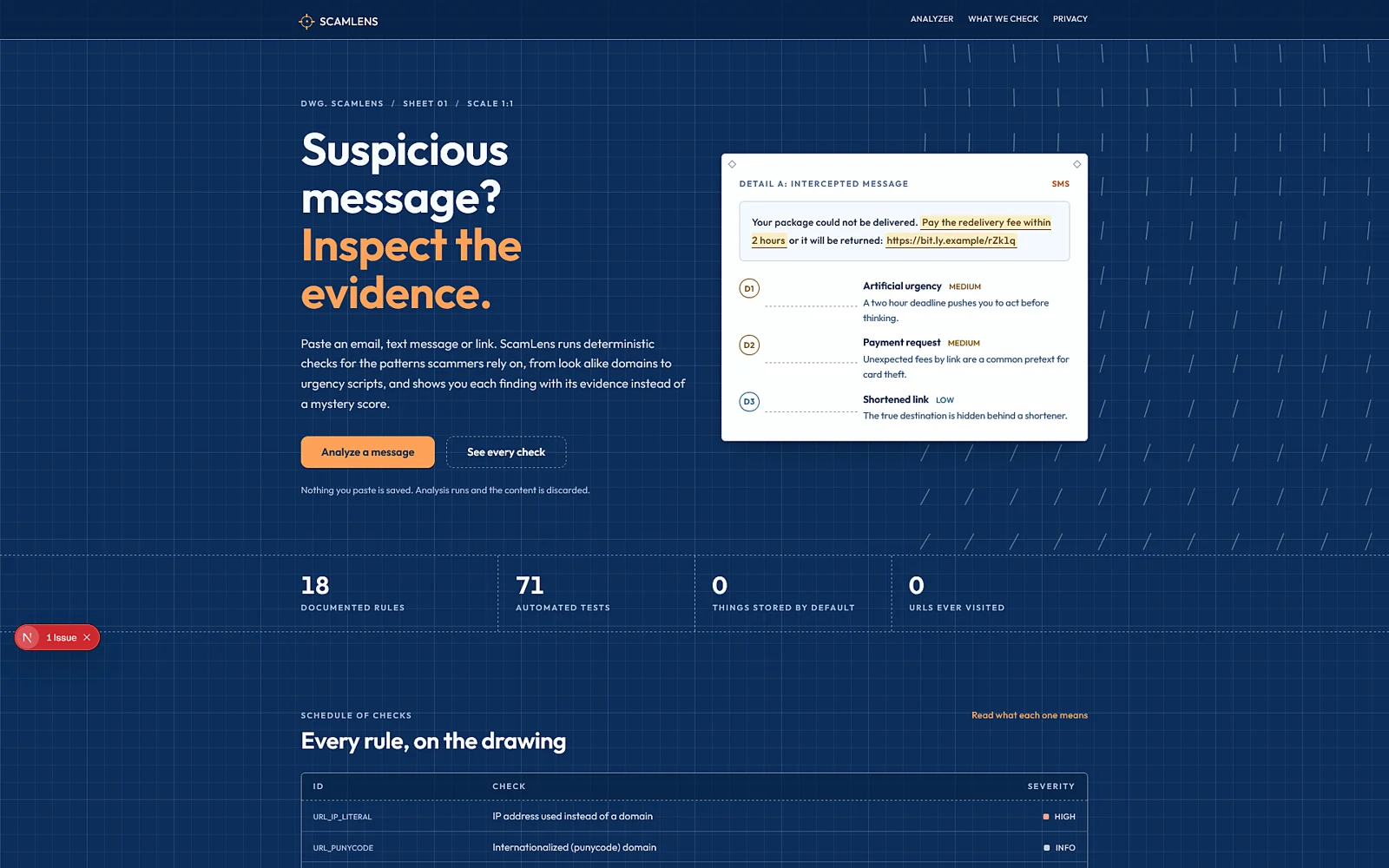
The pitch is the product: a sample analysis with severities and evidence, not a gauge.
02
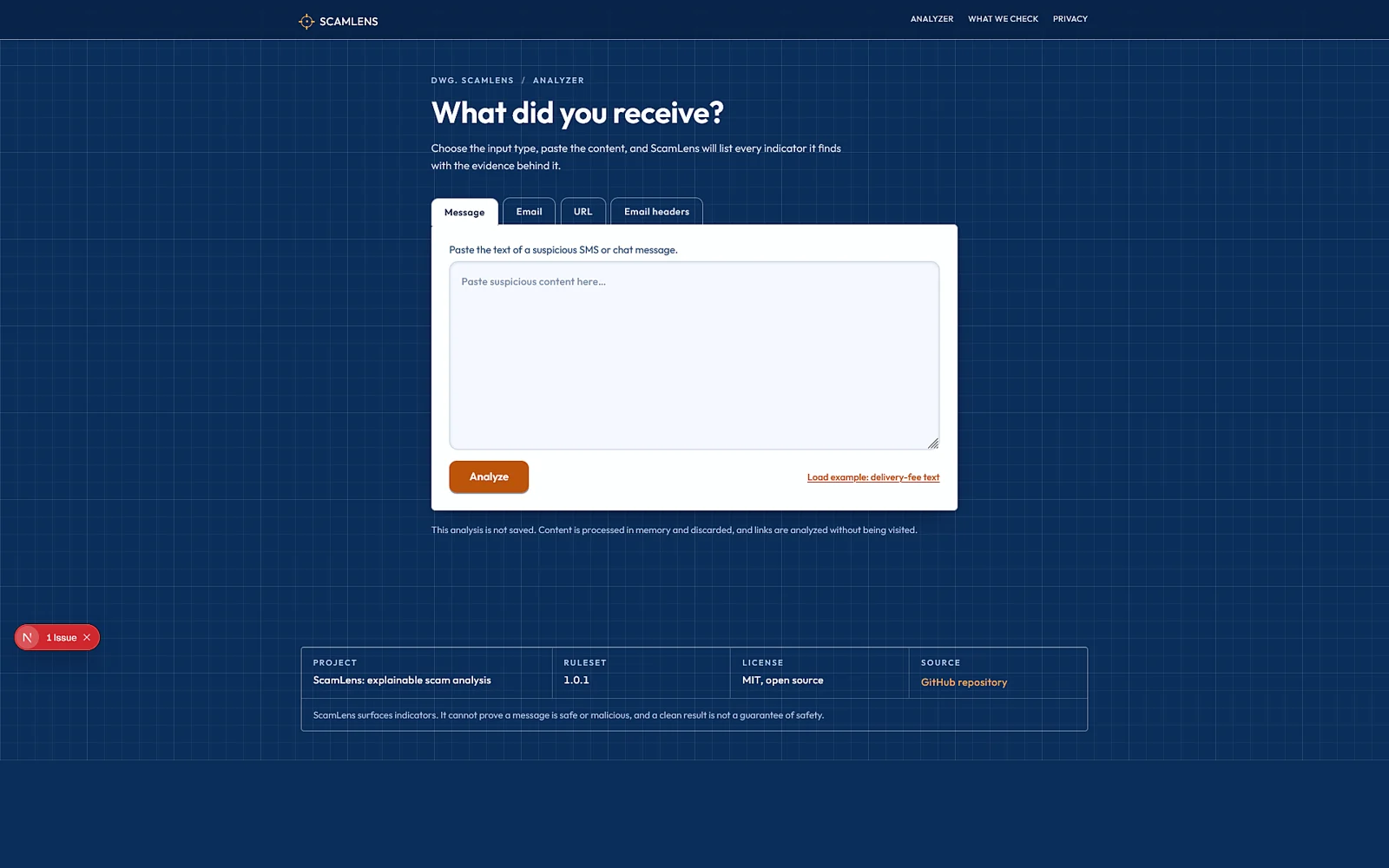
One text area, four input modes. The notice under it says the analysis is not saved unless you choose to.
03
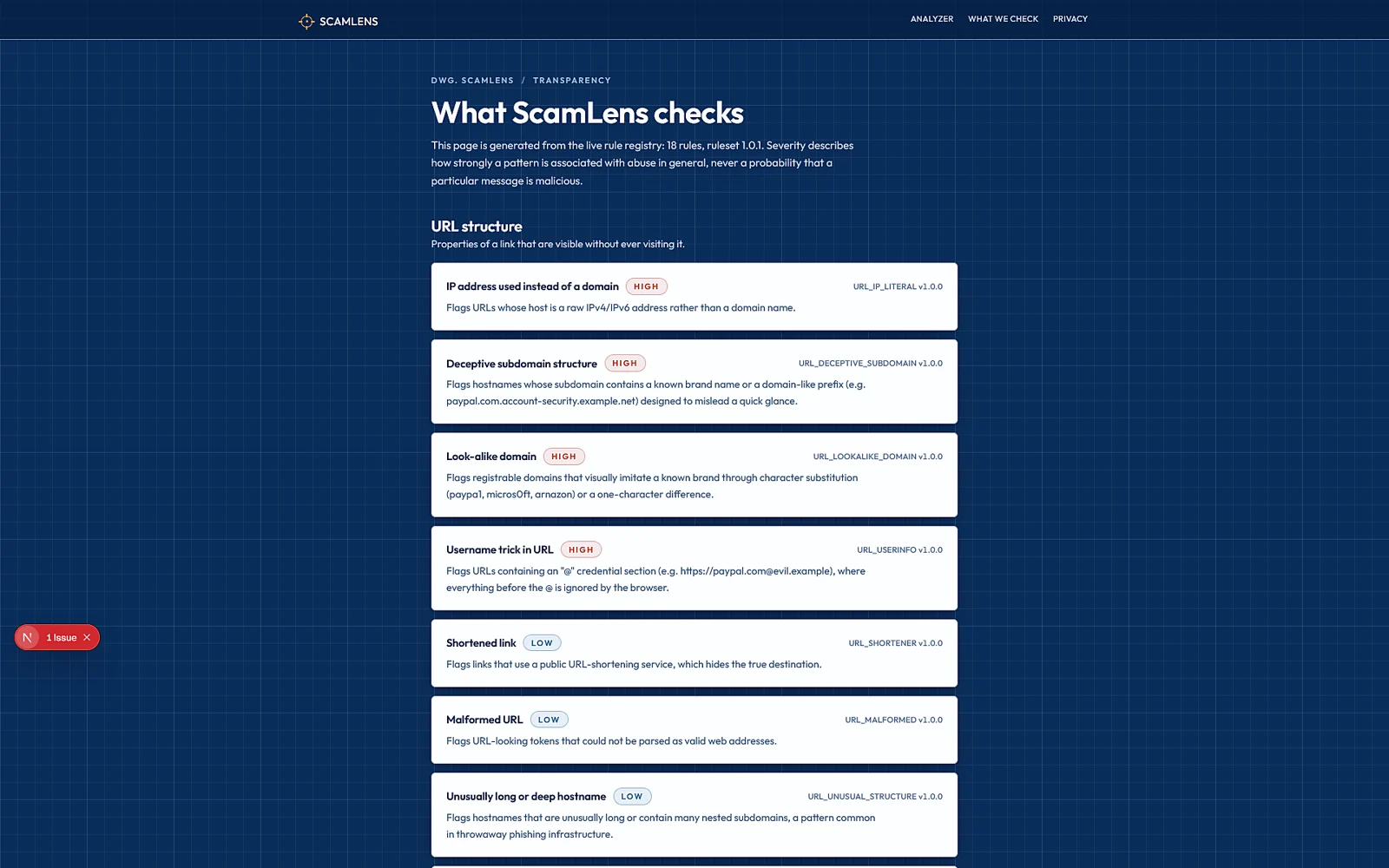
Every rule is public: what it looks for, how it is identified, and its severity, so the analysis is inspectable end to end.
04
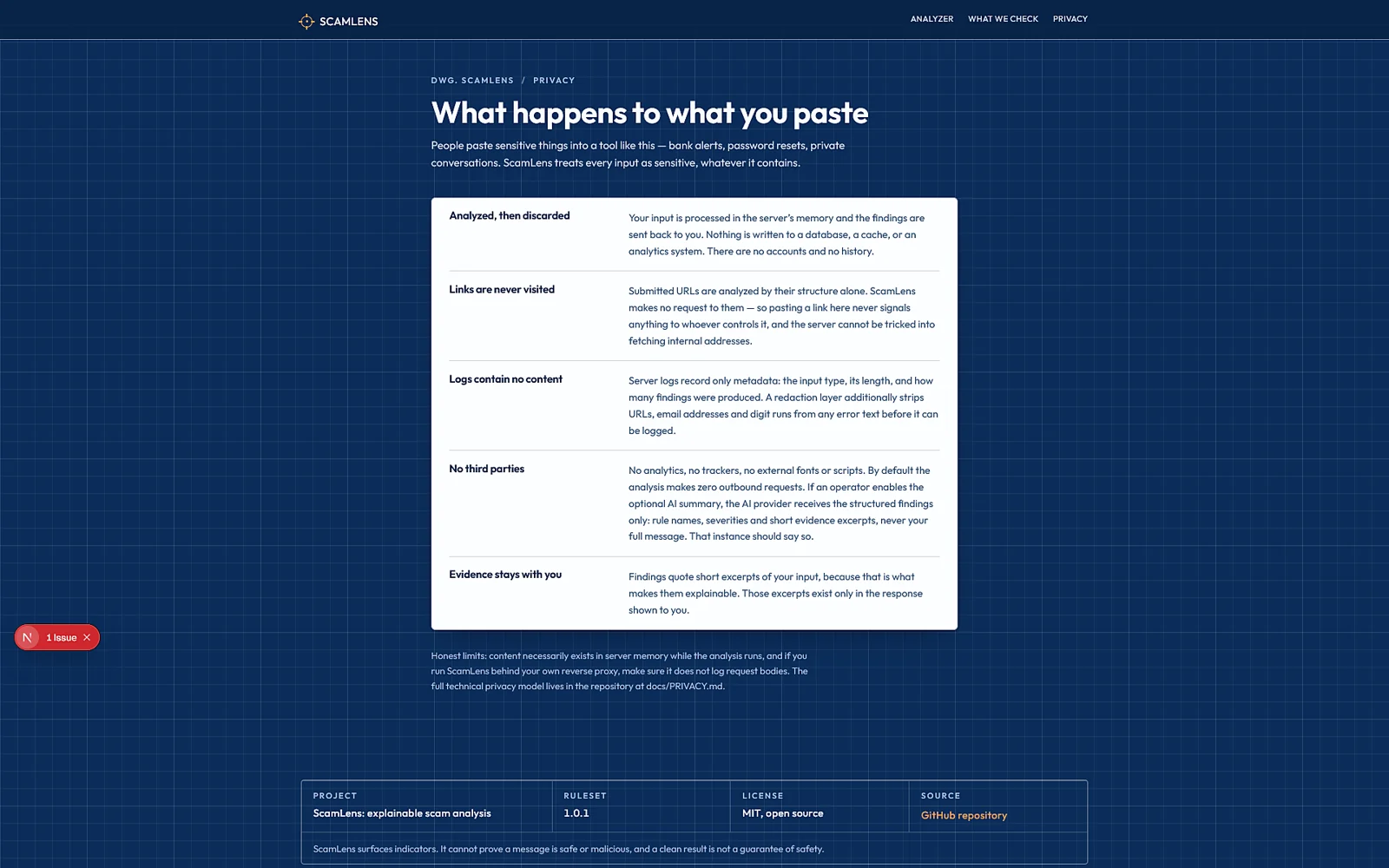
What happens to what you paste, in plain words: analysed, answered, discarded.
05
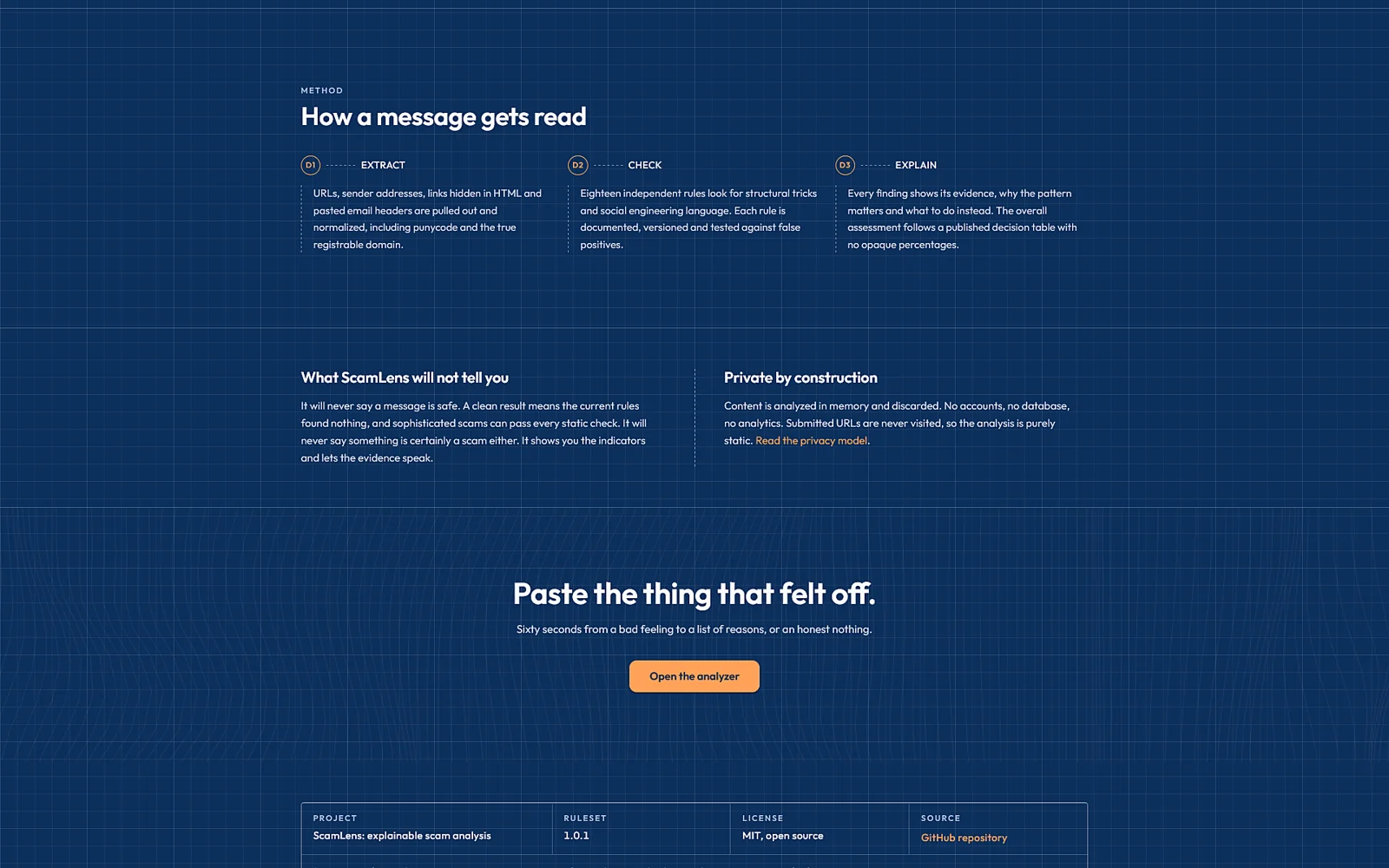
Every rule, on the drawing: the rule set is versioned so an old analysis can say which rules produced it.
What I built
The work, lane by lane
Parsing
- Input parser: text, email, HTML, URLs, domains, addresses, raw headers
- URL normalisation into scheme, host, port, path, query
- Registrable domain extraction and subdomain structure
- Punycode and look alike character detection
- Visible link text versus real target comparison when HTML is supplied
Rules
- Independent rule modules with id, severity, detector, evidence and recommendation
- Domain rules: IP literal, punycode, deceptive subdomains, look alikes, length
- Email rules: display name versus address, Reply-To mismatch
- Header rules: SPF, DKIM and DMARC results explained
- Language rules: urgency, threat, credential and payment requests, gift cards and crypto, secrecy
Results
- Explainable aggregation: high confidence and other indicators, no unexplained score
- Cards per finding with the exact evidence
- Technical details view: hostname, registrable domain, protocol, port, punycode, IP literal
- Recommended actions in plain language
- Optional AI wording over the deterministic findings
Privacy
- Analyse without saving as the default
- Content excluded from logs, analytics and error reports
- Explicit save for history
- Rule set versioning for reproducibility
Engineering decisions
Decisions and their trade-offs
Real decisions cost something. Each of these names its price.
01Never visit the URL
Version one analyses URLs statically. Fetching a user supplied address from the server would make ScamLens a proxy into anything the server can reach.
Trade-offNo page content or redirect chain in the analysis; a future retrieval service would need to be isolated on its own.
02Rules are modules
Each rule is a file with a detector, evidence and a recommendation. Adding a check does not touch the engine, and the public rule list is generated from the same modules.
Trade-offDiscipline in keeping rules independent; cross rule reasoning lives in the aggregator, not in the rules.
03Discard by default
The analysis endpoint returns findings and drops the input. Saving is a separate, explicit action.
Trade-offNo history unless the user asks for it, which is the point.
Under the hood
How the system holds together
The interface posts to an analysis API. An input normaliser extracts URLs, domains, addresses and headers; the rules engine runs the domain, email and language modules over them; the aggregator groups findings by confidence; an optional AI layer rewrites the explanation without changing the findings; and the response returns with the input discarded.
Deeper technical notes
- Look alike detection compares registrable domains against common brand strings with character substitutions such as 1 for l and 0 for o, and reports it as an indicator, not proof.
- Header analysis explains SPF, DKIM and DMARC results as pasted, and says plainly that pasted headers cannot be fully verified.
- Each saved analysis records the rule set version that produced it.
Gallery
Every screen, up close
Real screenshots from the shipped build, open any of them for a closer look.
Quality, privacy, accessibility
Evidence of care
- Input is analysed in memory and discarded unless the user explicitly saves it; message contents never reach logs or analytics.
- URLs are never fetched by the analysis server, which removes the SSRF surface entirely from version one.
- Findings always carry the evidence text they were based on; the assessment states that no result can guarantee a message is legitimate.
- The public What ScamLens checks page documents every rule and its severity.
Where it stands
Outcome and current proof
- Live at scamlens.sadman.tech.
- ScamLens explains indicators; it does not declare anything safe.
Technologies
Chosen for reasons
- Next.js + TypeScript
- Typed rule modules and results, one codebase for interface and API.
- Rules engine
- Independent detectors with evidence and recommendations, versioned as a set.
- URL and email parsing
- Registrable domains, punycode, headers and addresses handled as data, not regexes over prose.
- Schema validation
- Every result, including the optional AI wording, is checked before it reaches the interface.
For your project
What this experience enables
- Security and trust tools that explain rather than score.
- Products that handle sensitive input without storing it.
- Rule based systems that stay extensible as new patterns appear.